Record any in-game sequence — clicks, movement, key presses — then loop it endlessly while you sleep, study, or do literally anything else. 100% local. No scripts. No setup. Just hit F8.
No coding. No config files. You play the move once — Aurora replays it for as long as you want.
STEP 01
Record
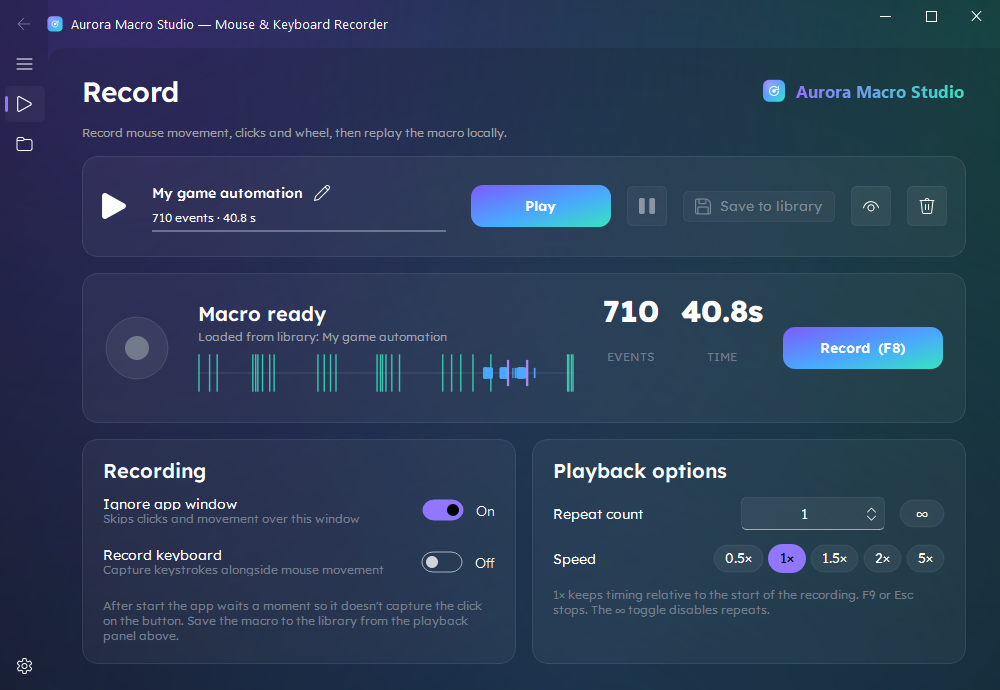
Hit F8, play your move once. Every click, swipe, scroll and keypress is captured with exact timing — mouse and keyboard.
STEP 02
Set loop & speed
Pick a repeat count or flip on ♾️ infinite. Run it at your real pace (1×) or crank it to 5× for faster farming.
STEP 03
Go AFK
Walk away. Sleep, school, work — your character keeps grinding. Hit F9 or Esc any time to stop.
Built for grinders
Your farm, on autopilot
Any game that makes you click the same thing 1,000 times — record it once, loop it forever.
Pet Simulator 99
Auto-click coins, auto-hatch eggs and farm diamonds on a loop while you're away.
auto-hatchauto-collect♾️ loop
Blox Fruits
AFK XP grind — repeat the same combo in one spot for hours of hands-off leveling.
XP grindAFK leveling
Bee Swarm Simulator
Auto-collect pollen along a route you record just once, then leave it running.
routesauto-collect
Idle & clicker games
Keep the clicks coming where the game has no built-in autoplay — Steam or emulator.
auto-clickrebirth loops
MMO fishing & gathering
Loop fishing, crafting and resource-gathering rotations for steady, hands-free progress.
fishingcraftinggathering
Mobile on emulator
Gacha taps, daily logins and auto-battle on BlueStacks or LDPlayer — same record-and-loop flow.
daily logingacha taps
More than an auto-clicker
TinyTask got you here. Aurora takes you further.
A click in one spot is the bare minimum. Aurora records the whole sequence and replays it like you never left.
Records everything
Mouse movement, clicks, wheel and the full keyboard — with exact timing. Not just a click in one spot.
True-to-time replay
Plays back exactly how you recorded it. 1× is your original pace — every pause and rhythm preserved.
Loop forever ♾️
Infinite mode, or any repeat count you set. Farm all night and wake up to the grind already done.
Human-like jitter
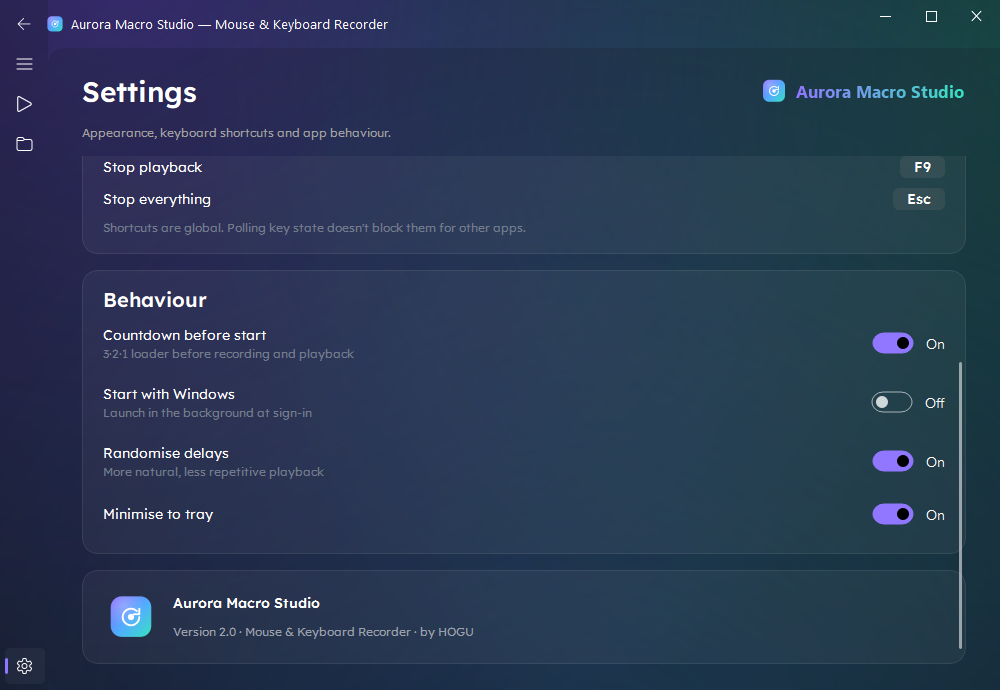
Optional 0–25 ms delay randomization makes playback less repetitive — looks less like a bot, more like you.
A library of farms
Save PS99, Blox Fruits, fishing rotations and more — then load any of them with a single click.
Premium, native UI
A clean Windows 11 Fluent interface with glass panels and aurora accents. Not a tool that looks like 2009.
Everything inside
Built for control, tuned for ease
Full recording
Mouse moves, L/M/R clicks, wheel + every keystroke, auto-deduped.
Playback control
0.5×–5× speed, repeats or ♾️, pause/resume with a progress bar.
3·2·1 countdown
A short loader before start so you never record the click on the button.
Event editor
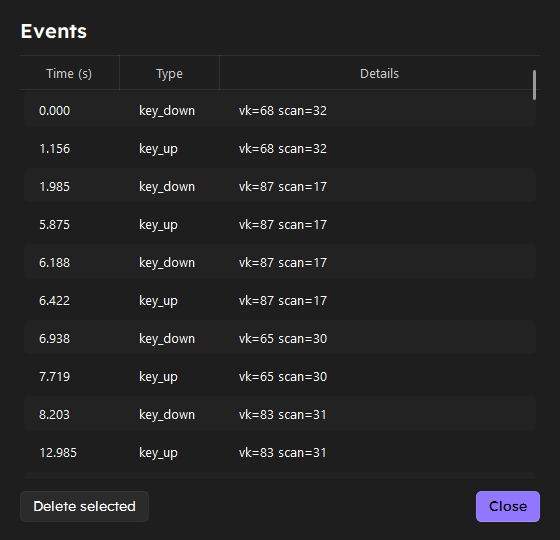
See every event in a table — time, type, details — and delete any you don't need.
Macro library
Save, rename, delete and one-click load — a card grid of all your farms.
Game-friendly hotkeys
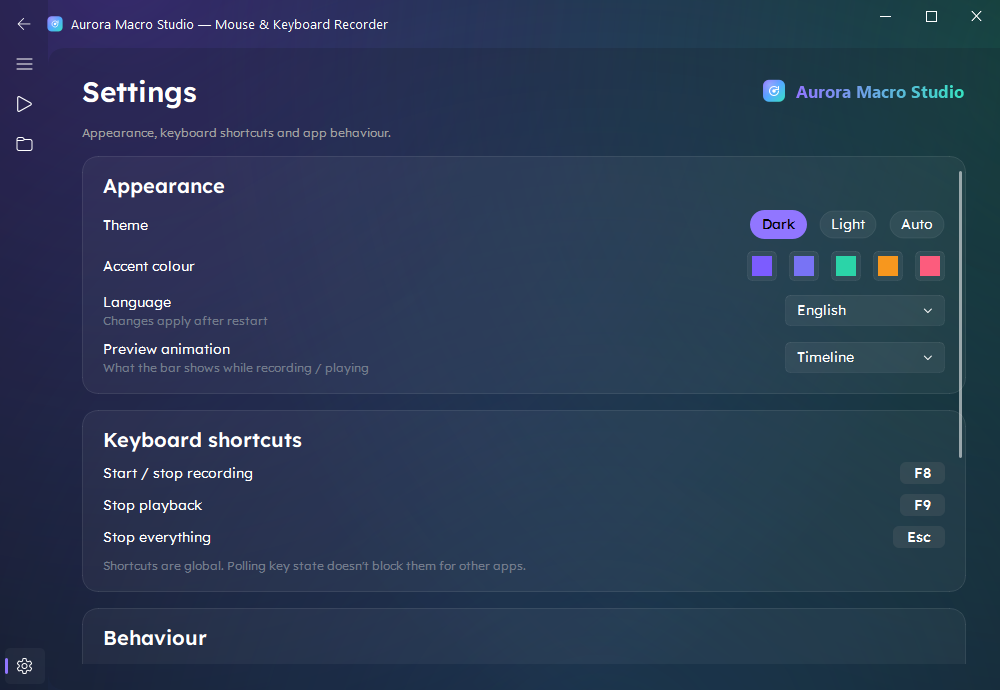
Global F8 / F9 / Esc that don't steal keys from your game or other apps.
Set it & forget it
Minimise to the tray and optionally launch with Windows in the background.
Make it yours
Dark / light / auto themes, accent gradients, and 5 UI languages.
Event editor — inspect & trim every recorded action
Safe & local by design
It all runs on your PC. No cloud, no scripts to paste, no account, no data leaving your machine. Your macros are just JSON files on your own disk — yours to keep, back up, or delete.
No scripts, no injectorsYou record your own actions — nothing is pasted or pushed into the game.
Sandboxed via Microsoft StoreClean MSIX install — no admin rights, no shady downloaders.
Works fully offlineNothing is uploaded. The internet is optional.
Pricing
Pay once. Farm forever.
No subscriptions. No monthly fees. No catch. Buy it once on the Microsoft Store and it's yours — updates included.